Fastlay Tool
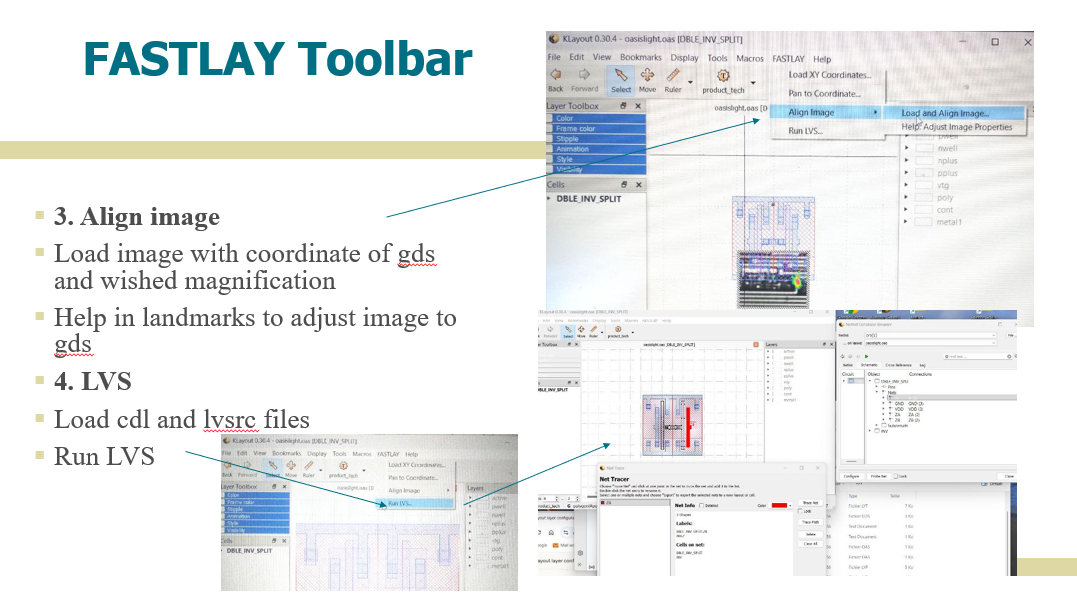
FASTLAY is a graphical user interface application designed to streamline layout analysis workflows using KLayout. It provides an integrated environment forGDS/OASIS file manipulation ,Layer extraction and technology file generation,LEF/DEF file viewing,Boolean layer operations
Key Features are Cross-platform compatibility (Windows, Linux, macOS) , Automated workflow for layout file processing , Integration with KLayout for visualization ,Boolean layer generation (PO AND PC operations) and Technology file extraction from GDS files..
This tool develop by us is now available for any customer .
Description
The tool provides both a Graphical User Interface (GUI) as well as all the background functions that allow automate the database setup and the analysis process itself.
It includes a set of scripts that eliminate many of the time-consuming, manual steps of database setup and correcting misalignment that could be present between schematic, layout and diagnosis software.
Also, it prevents the user from having to write the command scripts for each of the tools (equipment, diagnosis tools, layout viewer,…) by providing him with automatically created scripts depending on the case under analysis.
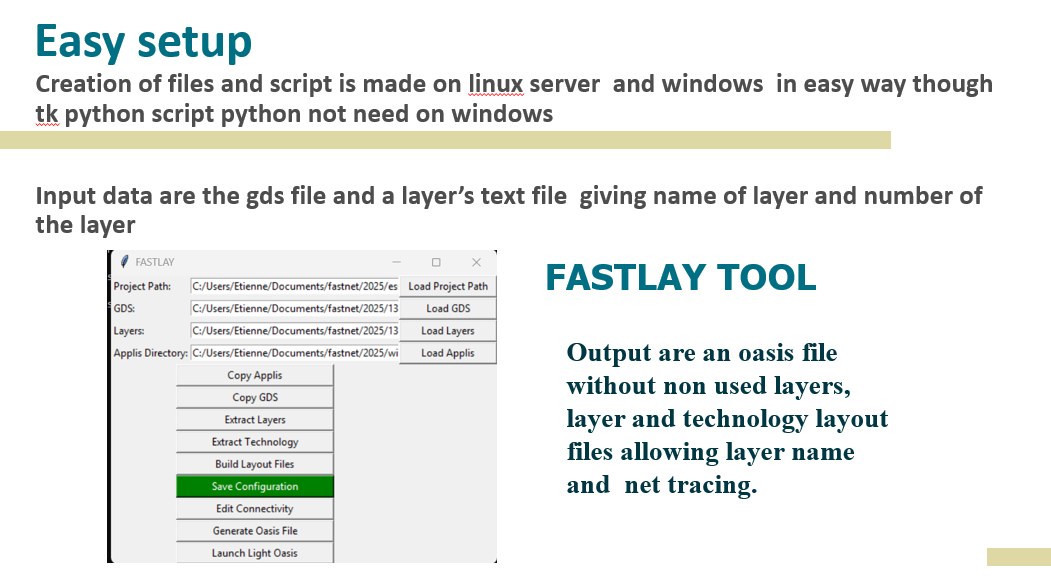
The basic setup flow provided by Fastlay is the following:
- First we create a directory to contain the product project.
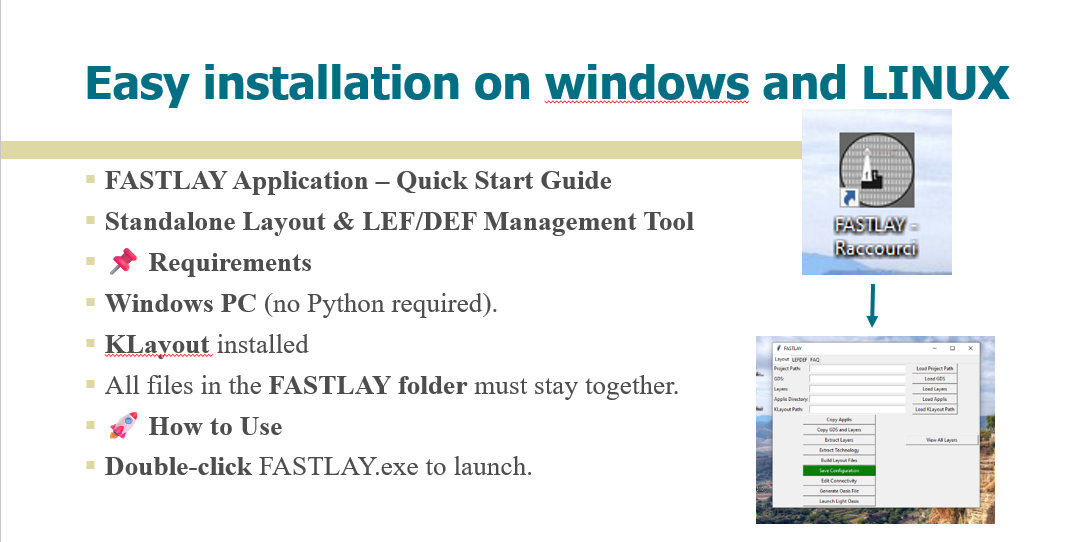
- fastlay shortcut is launch .
- gds file and layers description (text file with layer name and layer number) are load in fastlay tk window .
- application and klayout path are also loaded inside fastlay tool.
- sequence is extracting layers,technolgy files and finally generate an oasis file which contais only the layers choosed.
- Klayout is then launch with all layers names and connectivity.
When the chip permits (lvs) crossmapping layout to netlist is set .